Dictate into any app. Record any meeting. All from the notch.
MAI lives under your Mac’s camera. Hover it to dictate into any app, record the meeting you’re in, or start a focus timer — the words land at your cursor, spelled your way.
A Mac screen. The MAI island sits under the camera housing. Hovering it reveals four controls — Dictate, Record, Note and Timer — each with its caption and shortcut. Clicking Dictate turns the island into a pink level meter with a clock while the user speaks; on ⌃⇧D it transcribes and inserts the formatted email into the Mail window, starting "Hi Priya,". Clicking Record captures the Acme Q3 Kickoff · Meet call with a red meter and a recording dot in the menu bar; when it stops, the finished entry appears: "Pilot starts 5 September; Fernway keeps onboarding. Priya signs off once the revised scope lands."

01Hover
Your controls live under the camera — over every app, on every Space.
02Dictate
Talk, let go. The words land at your cursor, punctuated and spelled your way.
03Record
One click captures the meeting you're in. Summary, transcript and tasks follow.
Just talk.
No window to open, no field to click into. Hold a key, say it, let go.

Any app. Any text field. One key.
Hold ⌃⇧D anywhere and talk. Let go — the words are already there, shaped like the thing you were writing.
The same dictation lands three ways: in Mail as an email starting "Hi Priya," with bullet points, in Slack as one message in #acme-pilot, and in Terminal as a single git commit line.
Anywhere you can type.
Works in Gmail, Notion, Figma, Google Docs, Linear, Claude, ChatGPT, Cursor, GitHub, Jira, Discord, WhatsApp, Telegram, X, Obsidian, Zoom, Google Meet, Perplexity, YouTube, Instagram — and anywhere else you can type.
It already knows how you spell things.
Your projects, your themes, the people from yesterday's meeting — names it has never heard spoken come out right the first time.
- “fern way”
- Fernwayyour project
- “at less”
- Atlasyour project
- “pre ya rahman”
- Priya Ramanmet on Tuesday
- “acme”
- Acme Corpyour replacement
Crowded room? Whisper to your wrist.
Start dictating from your Apple Watch, and the text still lands at your Mac's cursor. Checking your watch looks a lot more normal than talking at your laptop.
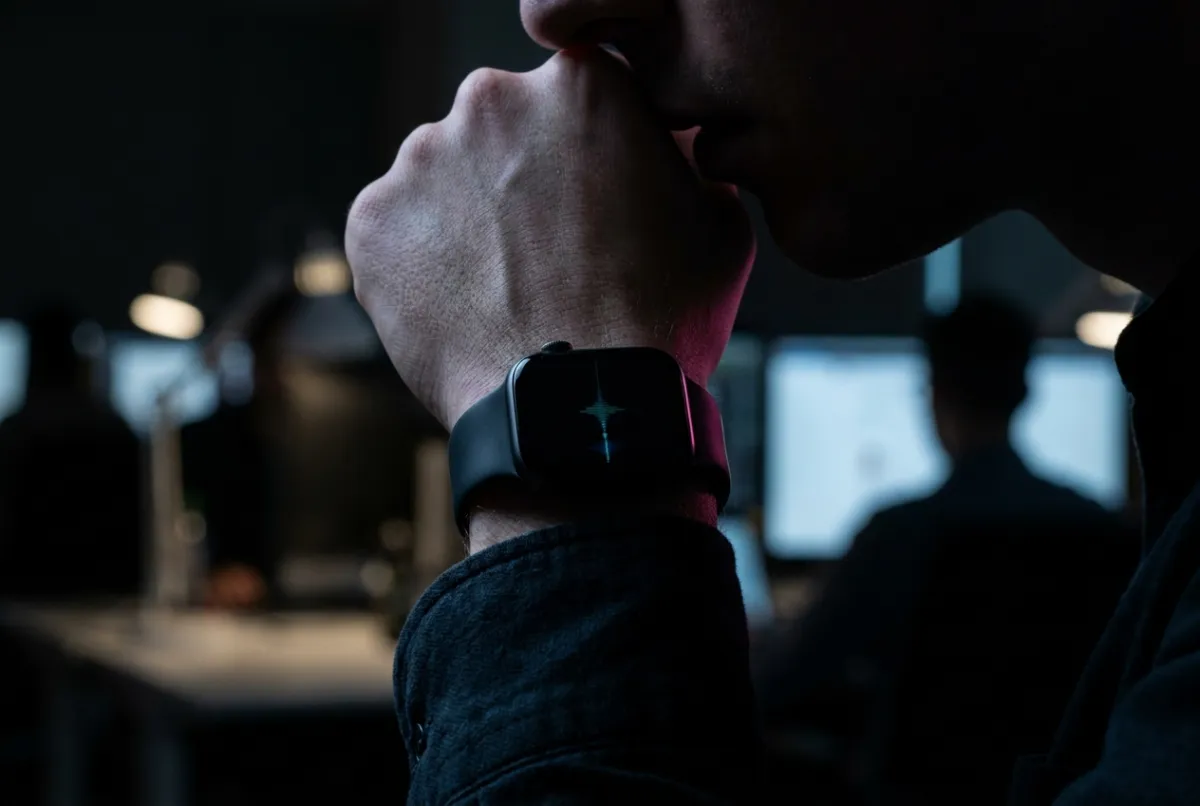
Five minutes before the call, MAI shows up.
Record right on this Mac with nothing joining the call, or send the AI notetaker in. You decide, per meeting.
From your calendar — Google Meet, Zoom and Microsoft Teams.
One meeting, start to finish.
Acme Q3 Kickoff
1Hit record
One click on the card, or from the menu bar.
Meeting notes
- Priya wants the revised scope in writing today
- Onboarding stays with Fernway — confirm dates
- whiteboard.jpg
- acme-scope doc
- Q3-brief.pdf
2Stay in the conversation
Notes, screenshots and links ride along.
Today · 10:47
Acme Q3 Kickoff
Pilot starts 5 September; Fernway keeps onboarding. Priya signs off once the revised scope lands.
- Send Priya the revised scope
- Confirm Fernway onboarding dates
3Walk away with it done
Summary, transcript, audio — and the tasks.
Everything you say becomes a note.
Dictations, meetings and memos land in one place — summarized, filed to the right project, tasks pulled out.
The Mac app's Notes list. Three new captures arrive one after another — a dictation titled "Revised scope for Priya", a meeting titled "Acme Q3 Kickoff", a voice memo titled "Packaging call with the Fernway supplier" — each processed and filed to its project with its tasks pulled out, while the count climbs from 24 to 27 notes.
And it all connects.
Your notes, meetings and projects, drawn as one map you can walk through.
It's on screen before you need it.
Most of what you do with MAI happens without a window.

Up next
Acme Q3 Kickoff
10:00 – 10:45
Today
- Send Priya the revised scope
- Confirm Fernway onboarding dates
- Next meeting in the menu bar
- The island under the notch
- Recent dictations, one click away
- ⌘K across every note and task
One brain. Mac, iPhone and Apple Watch.
Everything you say on the Mac is on your phone before you stand up — and the other way round.
- AI notetaker in your calls
- A daily Focus Brief
- Projects that file for you
- Ask Claude about your week
Questions,
answered.
Does dictation work in every app?
Does it work offline?
Record or the notetaker — which one?
Is it free?
Stop typing what you could just say.
By downloading you agree to our Terms and Privacy Policy.
- macOS 14.6 or later · Apple silicon and Intel
- Signed and notarized by Apple
- 7 days of everything free, then Premium
- Sign in with an email code — no password
- One permission for typing into other apps
On Windows, or a Mac below macOS 14.6? Leave your email and we’ll tell you the day that changes.
Something broken? It’s a young app — tell me directly.